
PoE security camera systems used to be associated mostly with commercial surveillance. Now they show up in home security decisions because NVR kits are easier to buy and install than they were a few years ago. The question is not whether PoE is always better than WiFi. It is when wired reliability is worth giving up the easy placement and easy relocation that WiFi cameras offer.
The answer usually depends on three practical tradeoffs: the wiring and power conversation before installation, the way costs change when two cameras become four or eight, and the maintenance burden after the system is no longer new. This article compares PoE vs WiFi security cameras for home use through those everyday tradeoffs, not just resolution, night vision, or AI detection.
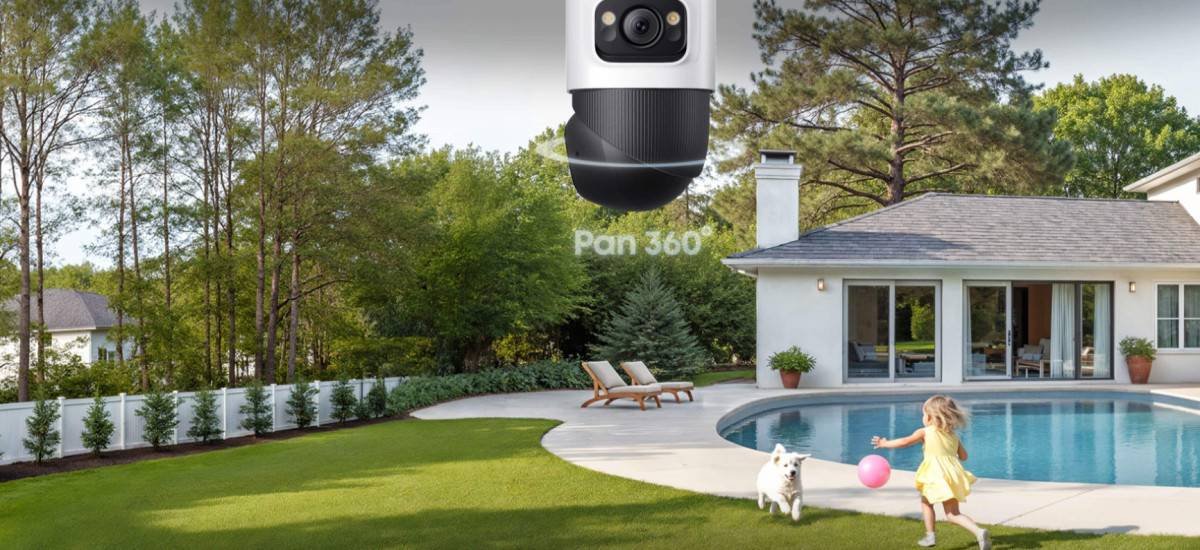
PTZ camera pans 360° for complete coverage.
Table of Contents
- How PoE and WiFi security camera systems fail
- Wiring and power conversations come first
- Multi-camera expansion is where PoE starts to pull ahead
- When WiFi flexibility still matters
- Maintenance and upgrade costs decide the long game
- Conclusion
How PoE and WiFi security camera systems fail
WiFi cameras tend to fail at the edges. A camera installed at the far corner of a property, on the side of a detached garage, or in a basement stairwell is often sitting at the boundary of usable signal. It connects fine during setup in the living room, then starts dropping offline once it is mounted where it actually needs to be. Dead zones, interference from neighboring networks, and router reboots during power outages are the usual causes. Signal failure does not always announce itself clearly. It shows up as gaps in recorded footage, missed motion events, and an app notification that says the camera is offline at the moment it would have been most useful.
PoE cameras fail differently. Power and data travel through the same Ethernet cable, which means there’s one physical thing to trace when something stops working. A corroded connector, a cable damaged by a staple during installation, or a port that stopped passing power. These problems have a location you can find and a fix you can make. They also tend to happen less often than wireless signal issues because there’s no radio environment involved.
Neither is immune. The question is which failure mode you’re better positioned to deal with.
Wiring and power conversations come first
PoE wins on reliability only if the house lets you build the wired path. That is the first conversation, before camera count, lens type, or storage size. Standard Ethernet can carry data reliably up to 100 meters from the NVR, further than most home layouts need. The harder part is getting the cable to the right wall, soffit, garage, or corner without turning installation into a renovation project.
The practical questions are easier to see together:
| Decision point | Why it matters |
| Where will the NVR sit | It needs power, ventilation, and a cable path back to every PoE camera |
| Who can drill or fish cable | Homeowners may need an installer or electrician, while renters may need landlord approval |
| How will exterior holes be sealed | A reliable wired system still has to keep water and pests out |
| Where does WiFi still need power | Plug-in WiFi cameras need outlets, and battery models need charging or workable solar exposure |
Houses built in the last few decades with accessible attic space or unfinished basement ceilings are usually easier to wire. A cable run along a joist, through an attic, and down an interior wall may be a small job for someone comfortable with the work. Older homes are more variable. Plaster walls, finished attics, concrete interior walls, or knob-and-tube wiring all slow things down and sometimes move the job out of DIY territory. That installation gap can be bigger than the price difference between the two camera kits.
WiFi cameras avoid Ethernet, but they do not avoid infrastructure. A plug-in WiFi camera still needs an outlet. A battery WiFi camera still needs charging, battery replacement, or solar exposure that works in that exact spot. A mesh system that covers the backyard, garage walls, and detached structures makes WiFi cameras more predictable. A single router in the middle of the home is where flexibility starts to turn fragile.
For renters, the answer is almost always WiFi. Running Ethernet requires drilling through walls and patching them on the way out. Most landlords won’t approve of it. If a rental already has Ethernet drops near the intended camera positions, PoE becomes a real option — but that’s a narrower set of circumstances than it appears.
Multi-camera expansion is where PoE starts to pull ahead
A single WiFi camera is hard to argue against. It goes up quickly, moves easily, and often solves one specific problem. Four cameras feel different. Each one may connect to the router independently, record to its own storage path, and show up as a separate device in the app. Pulling together footage from three cameras across a two-hour window takes more effort than most people expect until they try it. Cloud storage costs can accumulate separately, too, since many WiFi systems charge per camera.
PoE cameras connected to an NVR work from a shared infrastructure. Add a camera, run a cable back to the NVR, and it joins the same recording schedule, the same storage volume, and the same interface. The eufy PoE NVR Security System S4 Max is built around an 8-port NVR, with a pre-installed 2TB hard drive that can be upgraded to 16TB. It can expand to 16 channels through a PoE switch, which is the part that matters if the plan may grow beyond the first few cameras. One compatibility limit belongs in the plan: eufy’s PoE NVR setup is designed around eufy PoE cameras, so mixed-brand PoE planning needs extra caution.
The ceiling for PoE expansion is cable infrastructure, not just the NVR. Before assuming that more channels means easy growth, check the next camera as its own small project:
- Is there a clean cable route from that camera back to the NVR area?
- Does the route pass through finished walls, brick, or exterior sealing work?
- Will the added camera need the same installer visit as the first group?
- Does the extra coverage make review easier, or just add another angle nobody checks?
In homes where the attic, basement, or soffit paths are open, scaling is straightforward. In homes where every cable run cuts through finished walls, the cost applies to each new camera, not just the first one.
This is the point where flexibility starts to lose some of its appeal. WiFi stays easy when each camera is considered on its own, but the system can become scattered as the count grows. PoE asks for more planning at the start, then gives you a cleaner timeline, shared storage, and one place to review footage. Wired reliability beats flexibility when the household needs coverage as a system, not as a few separate cameras.
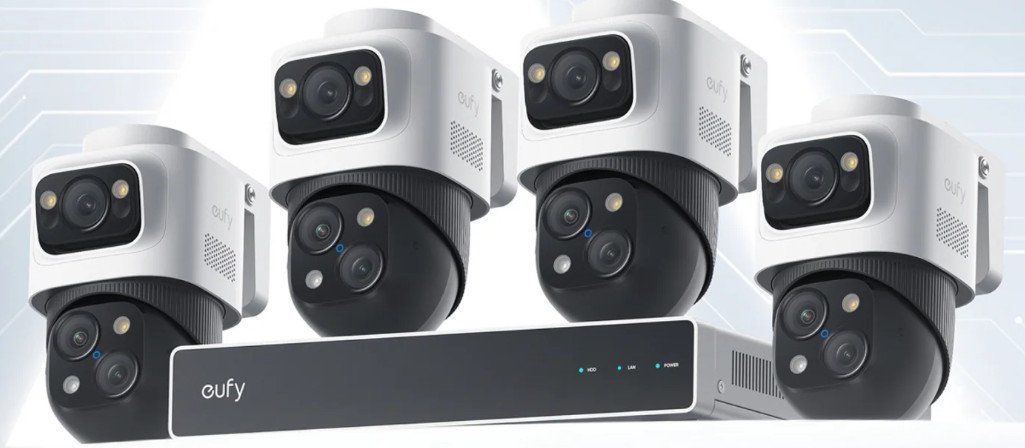
eufy PoE NVR Security System S4 Max
When WiFi flexibility still matters
WiFi keeps the advantage when life changes quickly. A fence goes up, a gate moves, the garage gets finished, and the camera can follow with little more than a new mount and an app reconnect. That is real flexibility, especially for renters or for homes where the security layout is still changing.
PoE cameras stay where the cable goes. Shifting a camera a few feet along the same wall may be fine if there is slack. Moving it to a different exterior wall or a different floor means another cable run. For a home that may be sold soon, remodeled soon, or rented, that fixed path can feel like a burden.
The type of PoE camera also affects how flexible the setup feels later. A fixed bullet camera may be enough for a narrow side path that will not change much. A wider exterior zone, or one where motion may move across the frame, may need movement and closer follow-up. The eufy PoE Bullet-PTZ Cam S4 fits that second case because it pairs a fixed wide view with PTZ tracking, so one camera can cover the general scene and still follow movement more closely. It is designed as a PoE add-on camera for eufy NVR S4, not as a standalone WiFi camera.
Maintenance and upgrade costs decide the long game
The maintenance math changes over time. WiFi spreads its costs into small tasks: charging batteries, replacing batteries, checking signal strength after a router change, managing per-camera cloud plans, and troubleshooting cameras that go offline one at a time. None of those tasks is huge in itself. Together, they are the cost of flexibility.
PoE front-loads more of the work. The cable run, NVR placement, and camera routes need thought before the system feels easy. Once installed, the upgrade path is often more concrete. Local NVR storage keeps working regardless of cloud plan changes, and a hard drive upgrade is easier to understand than a subscription shift. The usual problems are physical: the camera works, the cable fails, the drive fills, or a port needs checking.
Over time, the pattern is simple: WiFi is easier to change. PoE is easier to trust once the layout is settled.
Conclusion
PoE security cameras make the most sense when wired reliability answers a real home problem: weak perimeter WiFi, several cameras that need one timeline, local recording, and a layout that will not change much. WiFi makes more sense when flexibility is the real need: rentals, changing camera locations, finished walls that make cable runs expensive, or a small setup with one or two cameras.
The installation side is the part most product comparisons skip. Before deciding on IP camera PoE for home use, a walk-through of where the cables would run, where the NVR would sit, who needs to approve or install the wiring, and what each added camera costs to connect will settle more questions than any spec sheet. For the broader PoE lineup, the eufy NVR security system collection is the cleaner place to compare systems by channel count and storage size.