
No longer is work confined to a single workstation. People work from anyplace, travel, and relocate. Although laptops are useful, sometimes a single screen is insufficient. This issue is resolved using a flexible monitor. It produces a portable workstation that you can take with you wherever you go.
Now the question arises, what is a flexible monitor? The answer to this question is that a flexible monitor should have the following features. A flexible monitor is portable. It can be connected to phones, tablets, and computers. Many of these portable monitors are thin and light. They are able to rotate, tilt, and fold. Touch features are even supported by some.
A Guide on How to Set Up Your Mobile Workstation Using a Flexible Monitor
A mobile workstation is very easy to set up. It is simpler with a flexible display. Create your setup by following these step-by-step instructions.
Step 1: Select the Proper Location
- Select a flat area.
- A desk, co-working table, or café table is a suitable option.
- Try to avoid uneven and cluttered spaces
Step 2: Attach the Adaptable Display
- Make use of an HDMI or USB-C cable.
- Connect it to your iPad or laptop.
- Wireless casting is also supported by some monitors.
Step 3: Set Up Your Electronic Equipment
- Put your laptop in front of you.
- The flexible monitor should remain above or to the side.
- For comfort, you may change the angle.
- Try to avoid having a heavyweight device. Prefer light-weight equipment.
Step 4: Organize Accessories
- Place your mouse and keyboard in front of you.
- Keep your headphones close at hand.
- To prevent clutter, use cable clamps
Step 5: Modify the Display Configuration
- Go into the settings of your laptop.
- Select “Extend” to add more screen space.
- Or, if you want the same view, “Duplicate.”
- Adjust the resolution and brightness for your eyes.
Step 6: Maintain Your Comfort
- Maintain proper posture as you sit.
- The display should be at eye level.
- To prevent strain, take pauses.
Advantages of having a flexible monitor
- Freedom is provided via a mobile workstation.
- Working from a hotel, train, or café becomes easy
- It lessens reliance on the workplace.
- Ideal for students, business travelers, and independent contractors.
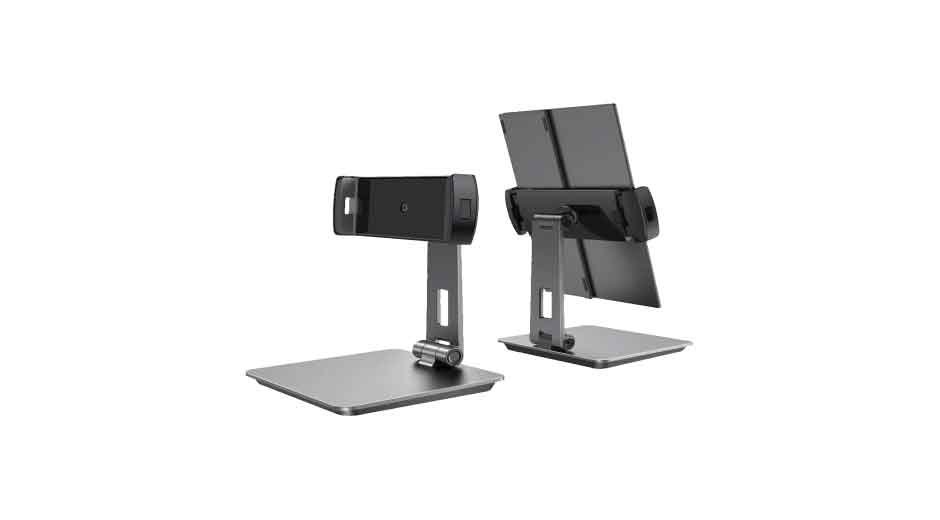
Components of a mobile workstation
You can remain productive anywhere, even in airports and coffee shops, with the correct setup. The proper tools are needed to build a mobile workstation. Every piece enhances the value of your arrangement. Anywhere you have the correct combination, you can work effectively. Planning is necessary while constructing a mobile workstation. Each tool has a function.
A mobile workstation is crucial if you work on the go or travel frequently. Listed below are the essential elements that you need to incorporate into your mobile station.
Tablet or Laptop
The central component of the workstation is your primary device. Select one that is strong but lightweight. Keep in focus the battery life of your device, as an extended battery life is essential. Another useful device is a tablet with a keyboard. For multitasking, go for at least 8GB of RAM. Choose a tablet with a detachable keyboard if you’re a tablet person. This will provide you with comfort and flexibility.
Adaptable Monitor
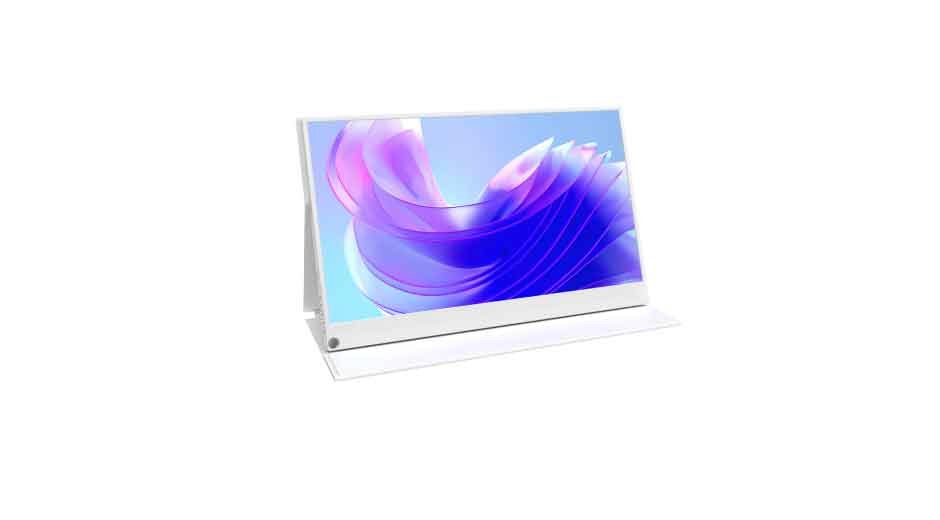
Having a flexible monitor in your mobile workstation offers comfort and ease. It facilitates multitasking. So it is better to pick one that is portable and thin. You get crisper images with higher resolution. These portable monitors highly benefit designers. While verifying references, designers can make changes. While viewing lectures, students are able to take notes.
Choose a screen that is 13 to 16 inches in size. Also, for clarity, select a resolution of 1080p or higher. Models that are lightweight and slim are usually preferred as they make carrying them easy. There are even some displays with touchscreen capabilities.
Mouse and Keyboard
Long hours of typing on a laptop can surely be exhausting. But it is easy when using a portable keyboard. Wireless mice and keyboards are more practical. They increase speed and comfort.
Using a mouse speeds up and improves navigation. It is important to select a mouse based on the size of your hand for the sake of your comfort. Another option is Batteries battery-based mouse, as they are less expensive with rechargeable choices. Long workdays are more pleasant with these two items.
Headphones
Your concentration may be hampered by noise. The best solution to Distractions is to block with headphones. The most effective headphone options are noise-canceling ones. They are ideal for online gatherings as well. On the other hand, Wireless headphones reduce cable clutter and increase mobility. Also, pick comfy ear cushions if you are going to use them for long duration of time.
A Power Bank
A power backup is necessary for a mobile workstation. A decent power bank keeps gadgets charged throughout the day. Pick one that charges quickly. This guarantees uninterrupted, seamless work. It is better to select one with a minimum capacity of 20,000mAh. Your phone and laptop may be charged several times with this. Time is also saved with fast-charging connectors. Smaller variants are more portable, so you can work worry-free all day long if you have a power bank.
Why choose UPERFECT Flexible Monitors
● Broad Product Selection & Features
There are several versions available from UPERFECT. These include 1080p, 1440p (2K), 4K, and gaming-focused devices with high refresh rates (e.g., 120Hz, 144Hz), and flexible OLED displays. Some versions have USB-C and HDMI ports. Some even have touchscreens, auto-rotating sensors, and smart coverings that can be folded up and used as stands.
● High-quality display
UPERFECT provides displays with IPS panels with broad viewing angles (178°). that are used in many. Strong color coverage (sRGB, etc.) is frequently available. UPERFECT displays are useful for light, video, and job editing.
● Design & Portability
UPERFECT Models are frequently small, light, and portable. They are Excellent for laptop use, remote business, and travel. Some have clever stands or foldable leather coverings. These add-ons make it easier to set and safeguard the display.
● Offers for Trials and Warranty
For many models, UPERFECT offers a risk-free 30-day trial. Additionally, many systems come with a basic 2-year guarantee.
● Good Features at a Good Price
In contrast to larger or “premium” brand monitors, UPERFECT frequently offers a lot of features at a reduced price. The price-to-feature ratio appeals to users.
Summing Up
It is very convenient and easy to build a mobile workstation with a flexible display. It allows you to be productive, comfortable, and free wherever you go. A seamless setup is made possible by the necessary parts, including a laptop, portable display, peripherals, and dependable power supply. The experience is further enhanced with flexible displays, and companies such as UPERFECT are notable for their inventiveness and mobility. Any area may be transformed into a creative center or personal office with the correct configuration. Flexible displays are setting the standard for the mobile workplace of the future.